
Courier & Delivery Services
Run every client fleet from one dispatch command center
Courier companies juggle multiple shippers, SLAs, and driver pools. Shipora gives you one live board to assign jobs, optimize routes, and prove performance across every account you serve.
Multi-client dispatch
LiveMetro Eats
6 open jobs
Local Retail
4 open jobs
Wine Direct
3 open jobs
Fleet snapshot
Zone: Downtown12
Drivers
18
Active jobs
3
Clients
Driver 14 · 4 stops remaining
Next: Metro Eats #8821 · SLA 12 min
Spreadsheets do not scale when you add your fifth shipper
Growing courier operations often stitch together texts, whiteboards, and per-client tools. That works until volume spikes and nobody knows which driver serves which account.
Without Shipora
- Dispatchers toggle between client lists with no unified fleet view
- Drivers get double-booked or sent across town for the wrong shipper
- Clients ask for proof of performance and you export screenshots
- Peak days expose gaps: idle drivers in one zone, backlog in another
With Shipora
- One map with jobs tagged by client, priority, and SLA window
- Smart assign suggests the right driver based on zone and active stops
- Branded tracking links your shippers can share with their customers
- Live alerts for late jobs, idle drivers, and unassigned queue depth
Courier dispatch flow
From client job ingest to documented delivery
The workflow your dispatchers already run, without copying order details between tabs.
- 1
9:02 AM
Jobs land from client feeds
Jobs land from client feeds
API, CSV, or manual entry brings orders in with client tag, window, and delivery notes attached.
- 2
9:05 AM
Dispatch prioritizes by SLA
Filter by client, zone, or urgency so the board reflects what must go out first.
- 3
9:08 AM
Driver matched and routed
Driver matched and routed
One tap to assign with optimized stop order when drivers run multi-drop routes.
- 4
9:42 AM
Shipper and recipient get live ETA
Branded tracking keeps your clients informed without flooding dispatch with calls.
- 5
9:51 AM
Proof captured, job closed
Proof captured, job closed
Photo or signature on the driver app with timestamps tied to client and driver for reporting.
What dispatch leads need when volume doubles overnight
Multi-client visibility, fleet routing, and driver tools tuned for third-party delivery at scale.
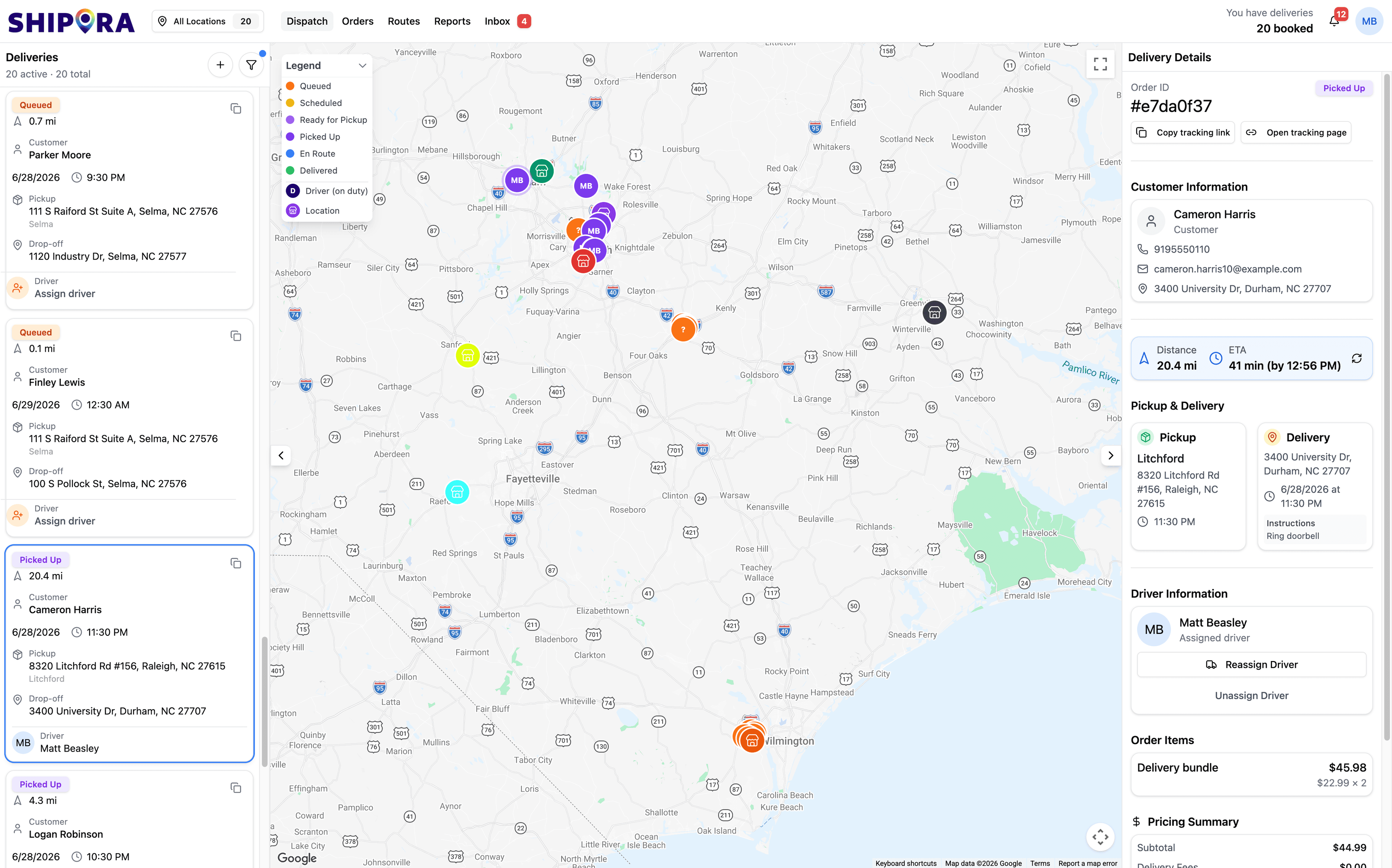
Multi-client dispatch map
See every driver and open job on one map. Filter by shipper, zone, or SLA risk before anyone leaves the lot.
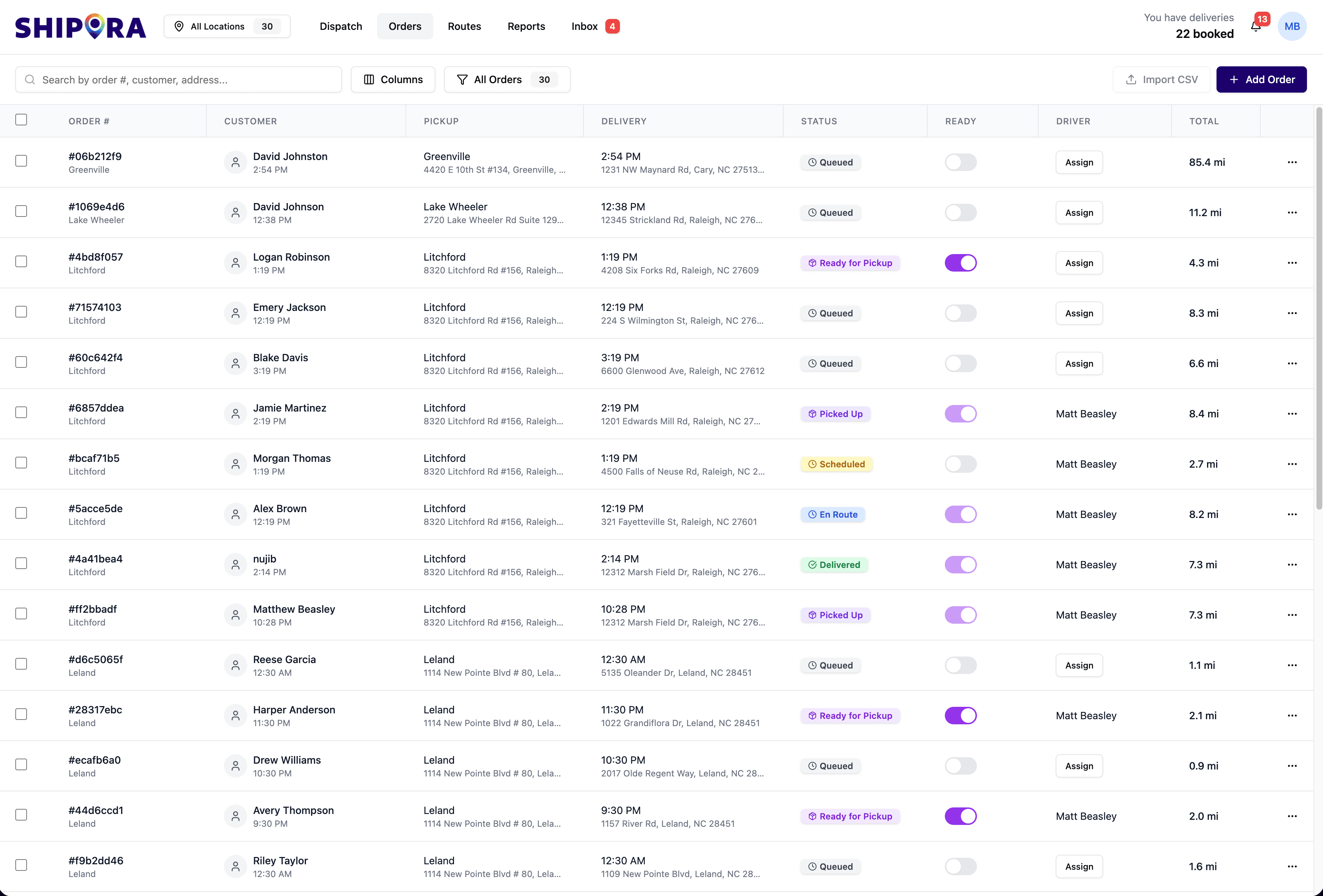
Job pipeline
Bulk assign, filter, and update delivery jobs across client accounts without exporting to spreadsheets.
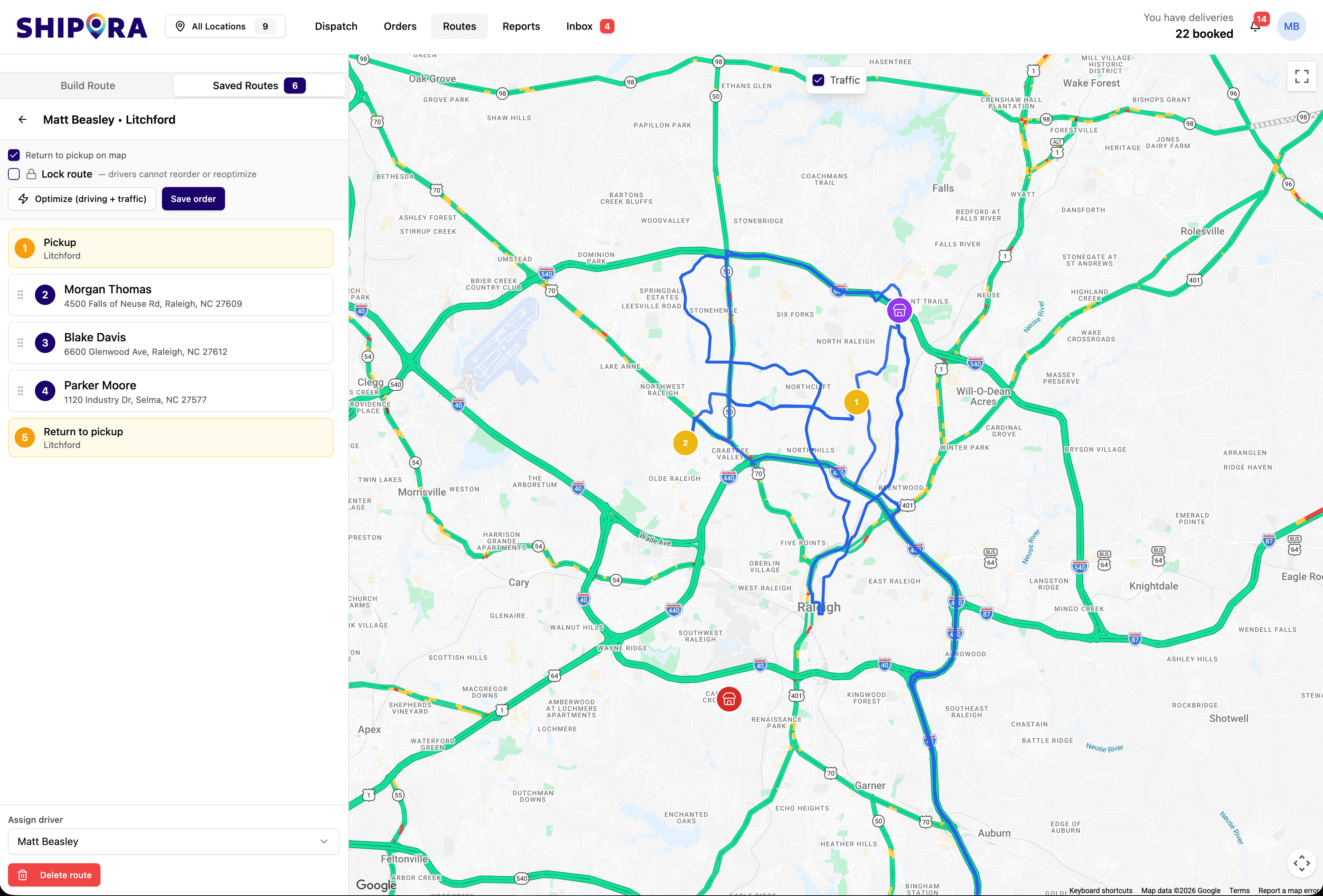
Route optimization
Stack multi-stop runs efficiently when one driver covers a zone for multiple shippers in the same shift.
Filter by location
×- ✓All locations
- Durham4 on duty
- Greenville
- Lake Wheeler
- Raleigh
Zone & depot filters
Run regional boards or hub views so managers see the fleet that matters to their market.
Driver information
No driver assigned
Matt Beasley
2 stops away · 4.9 ★
Assign & dispatch
Hand off jobs to the nearest available driver in seconds with suggested proximity matches.
Notifications
3 unread notifications
- D
New delivery received
Order #3268 needs attention
2 min agoHigh - !
Unassigned order
ASAP · Family combo waiting
6 min agoHigh - →
Driver idle 8 min
Matt · no movement near drop-off
8 min agoMedium - i
ETA slipping
Delivery #2848 · +6 min vs promise
12 min agoMedium
SLA & exception alerts
Catch late jobs, idle drivers, and unassigned queue depth before clients escalate.
Mark delivery as failed
Morgan Thomas · #a083072e
Reason for failure
- Customer not available
- Incorrect address
- Customer refused delivery
- Access denied to location
Dispatch and the customer will be notified. Attempt call and message first.
Exception handling
Failed deliveries surface with reason codes and notes so dispatch resolves issues fast.
Route builder
Plan saved zones and rebalance when a client dumps fifty jobs into the queue at lunch.
0×
Faster job-to-driver assign
0%
Fewer SLA misses
0%
Live visibility across fleet
0%
Client-ready delivery proof
Ready to scale dispatch without adding chaos?
Pilot Shipora with one client lane first. Most courier teams onboard their first shipper and run live routes within a week.
- Multi-client job tagging
- Pilot-friendly rollout